


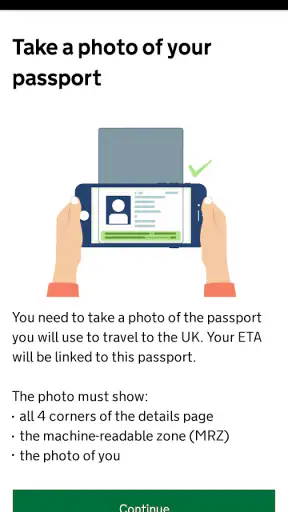
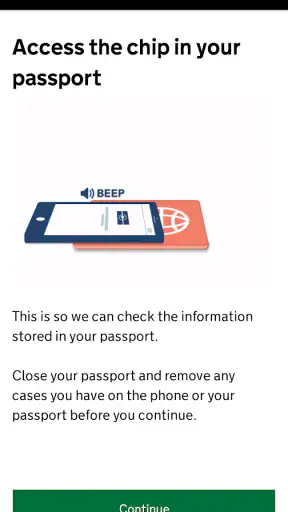
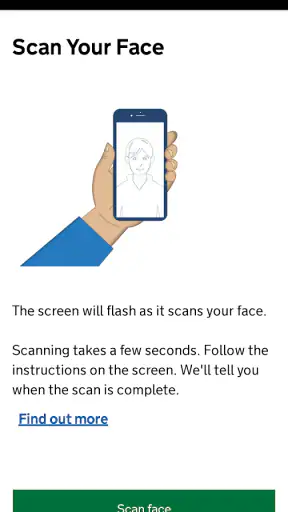
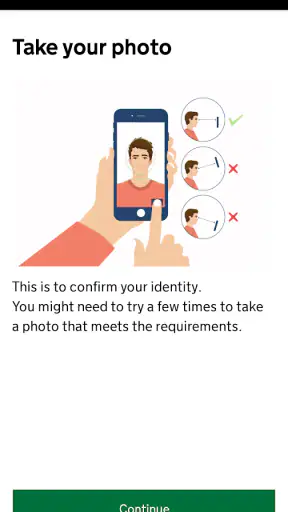
When I travel, the most useful government apps are usually the ones that remove one specific obstacle instead of trying to become a complete travel companion. UK ETA takes that focused approach. It is a free Travel & Local app from UK Visas and Immigration, built for applying for an electronic travel authorisation before coming to the UK. I see it as a preparation tool rather than something I would keep open throughout a trip.
The central capability is simple but important: it gives eligible travellers a mobile route for completing the ETA application. That focus makes the app easier to understand than a general travel planner, but it also means its value depends heavily on whether your journey actually requires this type of authorisation. If you already know that an ETA applies to your trip, the app has a clear purpose. If you are looking for visa guidance, transport planning, hotel bookings or border updates, this is not the right place to start.
My main advice is to treat the app as a pre-travel task, not as proof that every part of your entry arrangements is complete. An authorisation application is one item on a travel checklist. I would still check the requirements for my own nationality and situation through official UK guidance, then use the app for the application itself. That distinction prevents a common mistake: assuming that successfully using the app automatically answers every immigration question connected with a journey.
One focused capability: applying for a UK ETA
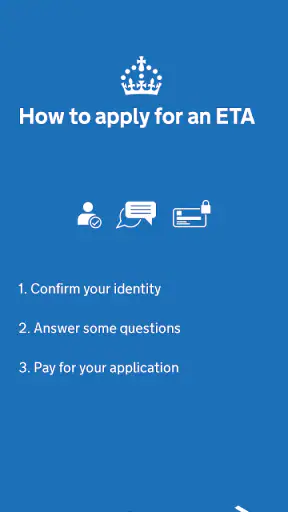
In practical terms, UK ETA is designed around the application journey. The store summary describes it as a way to apply for an electronic travel authorisation to come to the UK, and that narrow purpose is the reason I find it easier to evaluate than broader travel apps. There is no need to search through unrelated destination content before reaching the task that matters.
The developer is UK Visas and Immigration, which gives the app a clear official role. I would prefer this kind of application over an unfamiliar third-party service when I need to submit a travel authorisation request, because avoiding an intermediary can make the process easier to understand. It also means I would pay close attention to the exact app identity before entering personal details, especially when searching in an app store where similarly worded travel services may appear.
The app is free, and its content rating is Everyone. Those details make it approachable for a wide range of travellers, including people helping a family member prepare for a journey. Free access is particularly useful here because the app’s purpose is administrative rather than recreational: I would not want to install a government application only to discover an additional app charge before I could begin the relevant process.
Its audience is larger than a niche travel utility. The listing shows over five million installs, with an average rating of 3.1 from around eight thousand ratings. I would read that combination carefully. The install figure suggests that many people have needed or chosen this route, while the middling rating tells me not to expect a completely frictionless experience on every phone or for every applicant. It is a tool I would use because of its official purpose, not because the store rating makes it look unusually polished.
The current version is 2.42.1068, and the app requires at least iOS or Android version 12. That operating-system requirement is worth checking before a departure, particularly if you are using an older spare phone or helping someone who does not regularly update their device. A travel application is not much help if it cannot be installed when the application needs to be completed.
What the focused design changes for the user
A dedicated application can reduce the temptation to postpone the task. Instead of opening a browser, finding the correct government page, and navigating from a general information site into an application route, I can go directly to the app I have already identified. That is a modest advantage, but administrative tasks often fail because of uncertainty and delay rather than because they are conceptually difficult.
At the same time, the narrow design places more responsibility on me. I cannot rely on the app to act as a complete travel adviser. Before opening it, I would establish whether my circumstances call for an ETA and whether any separate permission or document requirement applies. The app is strongest when I arrive with that question already researched.
How I would use it in practice
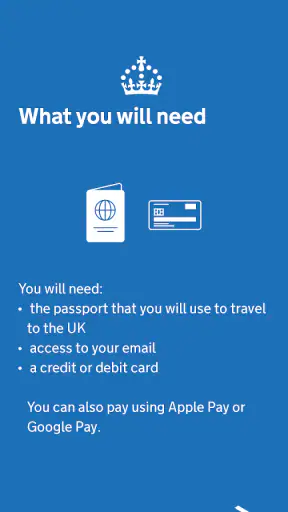
I would begin the process somewhere calm, with my travel details and identity document available. This is not an app I would want to operate while rushing through an airport or using an unreliable connection. Even when the interface is straightforward, an official application deserves careful reading. A small transcription error can be much more troublesome than the few minutes saved by completing it in a hurry.
My first practical check would be the device itself. I would make sure the operating system meets the minimum requirement, that the phone has enough battery, and that the camera and screen are working comfortably. I would also use the official app-store entry rather than installing a similarly named product from an unknown publisher. Because the developer is UK Visas and Immigration, the developer name is a useful identity check before I proceed.
Next, I would keep the relevant identity document beside me instead of relying on memory. The best workflow for this kind of task is deliberate: read each prompt, compare the requested information with the document, and review everything before submitting. I would not assume that an autofill suggestion is correct simply because the phone offered it. Travel applications are exactly where names, document details and dates need a second look.
One useful habit is to separate application completion from trip planning. I would first finish the authorisation task, then record the result in a place I can find later, such as my travel notes or confirmation email. I would not depend on remembering which screen I reached inside the app. I would also keep the app installed until the journey is over, unless I have another reliable way to access the relevant confirmation and any later status information.
Another practical point is to avoid creating a last-minute group session around one phone if several people are travelling. Even when one person is managing applications for a family, I would prepare each traveller’s information separately and review each submission individually. That reduces the chance of mixing up documents or assuming that one completed application covers everyone in the booking.
The app’s official focus is helpful here because it keeps the process centered on the authorisation. It does not encourage me to compare flights, browse attractions or make unrelated purchases while I am trying to complete an important form. For a traveller who is easily distracted by a large travel portal, that simplicity can be a genuine advantage.
What I would do if the process feels unclear
I would stop rather than guess. A government application is a poor place to experiment with an answer that merely sounds plausible. If a question depends on nationality, travel purpose, document type or personal circumstances, I would consult the official UK immigration guidance before continuing. The app can be the application channel without being the only source of explanation I use.
I would also distinguish technical trouble from an eligibility question. Restarting the app or checking the connection may help if a screen will not load, but it will not resolve uncertainty about whether an ETA is appropriate for a particular traveller. Keeping those two problems separate saves time and prevents a technical workaround from being mistaken for immigration advice.
Finally, I would not interpret a smooth application experience as a guarantee that the rest of the journey is settled. The app’s role is specific. I would still check my passport validity, travel documents, airline requirements and any other instructions that apply to my route. That may sound obvious, but focused apps are easiest to misuse when people expect them to cover more than they were designed to cover.
The scenario where it makes the biggest difference
The strongest everyday use case is a traveller preparing for a UK trip several days or weeks ahead, who has already established that an ETA is relevant and wants to complete the official application from a phone. Imagine I am arranging a short visit and handling the practical details after booking transport. Rather than leaving the authorisation until the night before departure, I would install UK ETA, check the device requirement, gather the necessary information, and complete the task while I still have time to resolve questions.
That timing matters more than any visual feature. If something is unclear, I can pause and verify it. If the phone needs an update, I can deal with that without standing in a terminal. If I am helping a relative, I can sit with them and check the information carefully. The app’s real benefit in this scenario is not that it makes travel effortless; it makes one administrative step easier to isolate and finish.
It is also useful for a small family planning a trip together, provided the organiser does not treat the group as one application. I would prepare a simple checklist with one line per traveller, then use the app carefully for each person. Afterward, I would store the confirmations together but label them clearly. This workflow is less glamorous than browsing a travel app, yet it is exactly the kind of organisation that prevents avoidable confusion before departure.
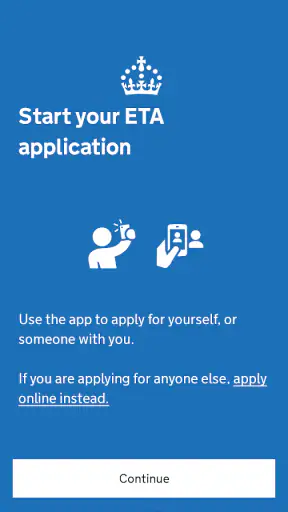
A less obvious use case is helping someone who is not confident with online forms. The Everyone rating does not mean every traveller will find the task effortless, but the dedicated purpose gives a helper a manageable boundary. I could explain that this app is for the ETA application, while using official guidance separately for questions about eligibility. That separation is safer than handing the person a broad search result and asking them to identify the correct service alone.
I would not choose the app as my main tool during the journey itself. Once I am sightseeing, checking train times, finding restaurants or navigating a city, a maps application or a broader travel service will be more useful. UK ETA earns its place before departure, when the authorisation task is still unfinished.
Where the trade-offs become noticeable
The first trade-off is focus versus coverage. A dedicated government app can feel reassuring because it concentrates on one official process, but it will not replace a visa-information website, a travel planner or a document wallet. Someone who wants one application to manage every part of a UK holiday may find it limited. I would use it alongside those tools rather than expecting it to absorb them.
The second is convenience versus careful verification. A phone makes the application accessible, but mobile screens can encourage quick tapping. I find a larger screen more comfortable when I need to review several fields, while the phone is convenient when I am away from a computer. The best choice depends on the person: the app is valuable for mobile access, but nobody should trade accuracy for speed.
The rating of 3.1 is another reason I would keep expectations realistic. It does not tell me that the app is unusable, and the large install base shows that it serves a substantial audience, but it does suggest that experiences vary. Device age, operating-system compatibility, network conditions and the applicant’s circumstances can all affect how smooth the process feels. I would install it before the travel deadline, not at the last possible moment.
The minimum OS requirement of 12 can exclude travellers using older devices. This is a genuine planning issue for families and for people who keep a basic phone for international travel. If the intended device cannot run the app, I would not wait until departure to discover that problem. I would arrange another suitable device or use the official alternative route available for the application, while still checking that I am using an authentic government source.
There is also a privacy and attention trade-off that applies to any official identity application. I would use a private connection, avoid completing the process on a borrowed public device, and make sure I know where confirmations are being saved. I would not take screenshots of sensitive information casually or leave the phone unlocked while another person is assisting me. These are practical habits, not reasons to avoid the app, but they matter more here than they would in a simple sightseeing app.
Compared with using a normal mobile browser, the dedicated app offers a more direct starting point and a clearer separation from unrelated web pages. A browser may be better if I am using a computer, need to compare guidance in multiple tabs, or cannot meet the mobile operating-system requirement. Compared with a third-party travel service, the official app has the advantage of being tied to UK Visas and Immigration rather than adding another commercial layer. A third party may offer broader assistance, but I would be cautious about paying for convenience when the official application route is free.
My biggest caution is psychological: the app can make the task feel finished before the trip is actually ready. I would still verify that every traveller has been handled separately where necessary, keep the relevant confirmation accessible, and review the wider entry requirements. The app reduces one source of friction; it does not remove the need for responsible preparation.
Who gains the most from using it
I think UK ETA is best for travellers who already understand that they need an electronic travel authorisation and want a direct mobile application route. It is also a sensible option for people who prefer dealing with an official service rather than entering personal information into a third-party travel platform. The free price makes it an easy first choice when the app matches the traveller’s situation.
It is particularly helpful for organised travellers who complete paperwork early. They can use the app as one clearly defined item in a pre-departure checklist, review the information without pressure, and keep the result with the rest of their travel documents. People helping relatives may also appreciate its narrow purpose, as long as they remain careful about whose details are being entered.
I would be more hesitant to recommend it to someone who has not yet worked out whether an ETA applies to them. That person needs official eligibility guidance first, not simply an application screen. I would also steer away from relying on it as the only travel app, because it does not address transport, accommodation, navigation or sightseeing. And if the traveller uses an older phone below the minimum OS requirement, the app may not be a practical option on that device.
My overall view is positive but deliberately limited. UK ETA does one important job: it gives travellers a free, official mobile route for handling a UK electronic travel authorisation. I like that clarity, and I would recommend it to a friend who has confirmed that the ETA process is relevant to their journey. I would tell that friend to install it early, use the developer name as an authenticity check, keep the identity document nearby, review every entry, and continue using official guidance for questions outside the application itself.
That is where the app makes sense. It is not a complete travel companion, and its average store rating means I would leave room for technical or usability friction. Still, when used for the task it was built around, UK ETA turns a potentially easy-to-forget travel requirement into a clearly defined step I can complete before leaving home. For the right traveller, that focused role is more valuable than a long list of extra features.


